Build the whole team.
Not the same graphic 30 times.
PlayerBatch Studio turns one roster CSV and one portrait folder into a consistent Media Day graphics set — social + print exports, local processing, and exception-only review.

See the real app before you buy.
This is the current PlayerBatch Studio V2.2.2 Windows interface running locally — not a mockup. Load a roster, select portraits, review exceptions, and export the team batch from one workspace.
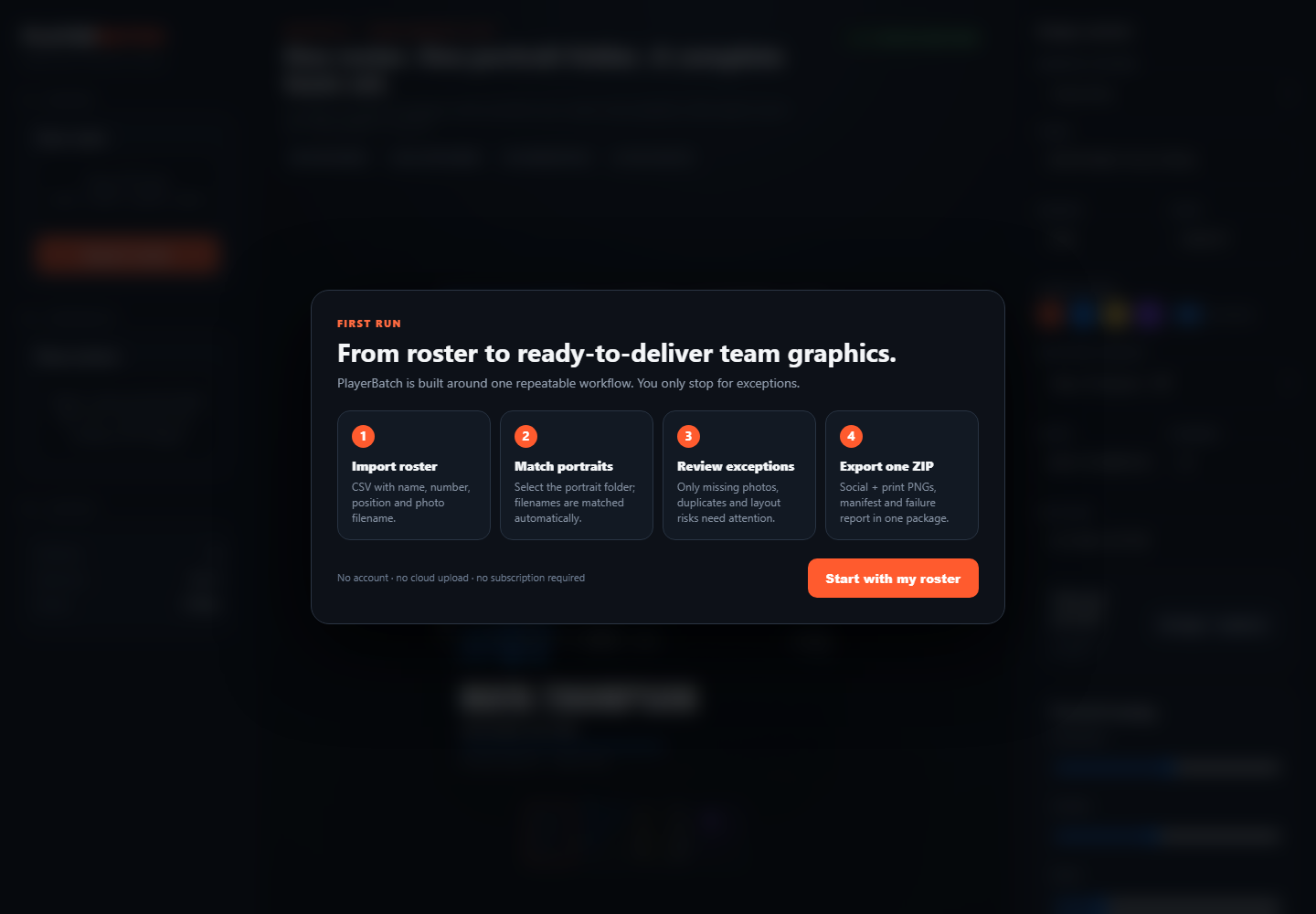 Real app · PlayerBatch Studio V2.2.2
Actual PlayerBatch renders.
These are genuine outputs from the current PlayerBatch rendering pipeline — not marketing mockups. Tap any image to inspect a larger preview.
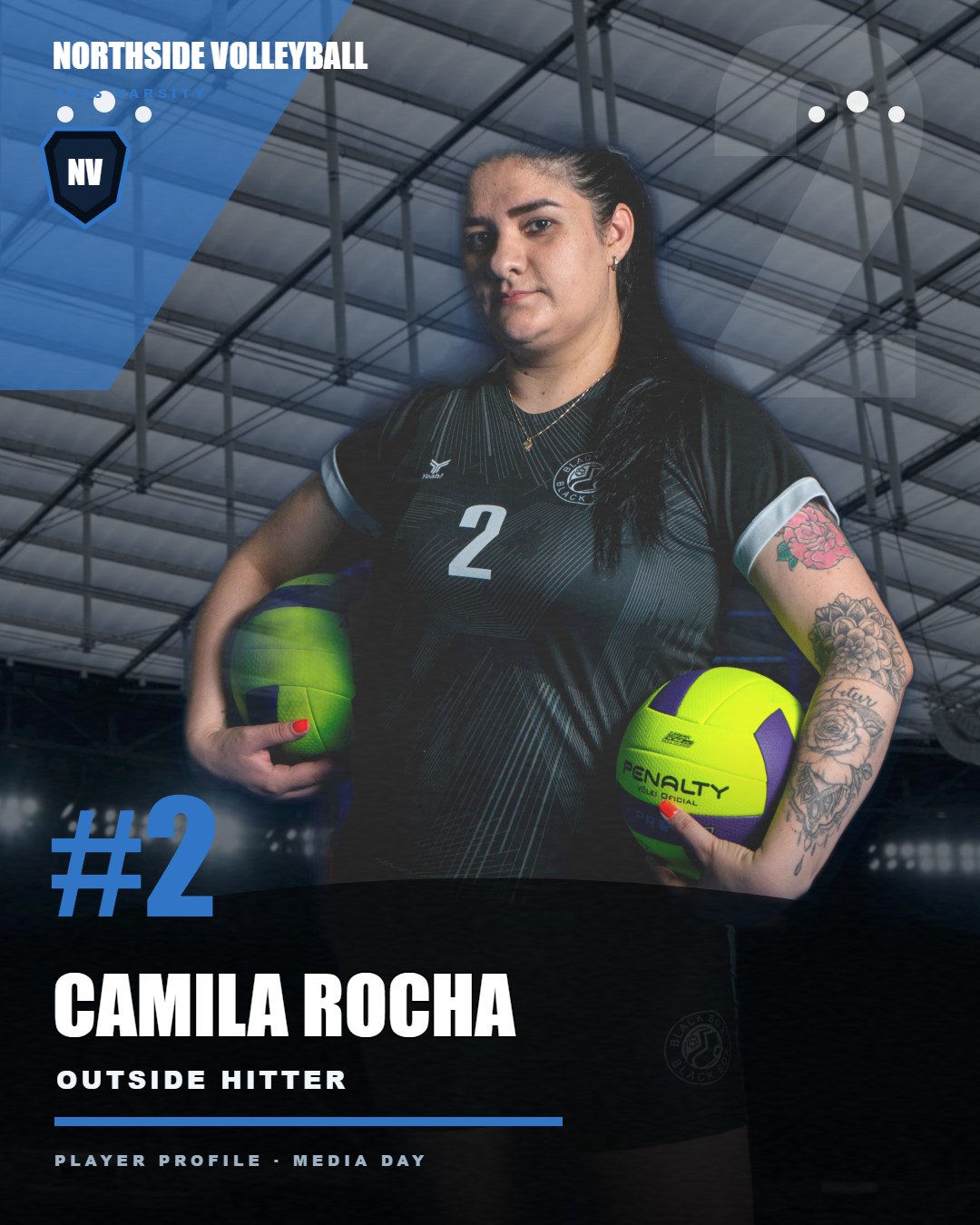 Actual render · Arena
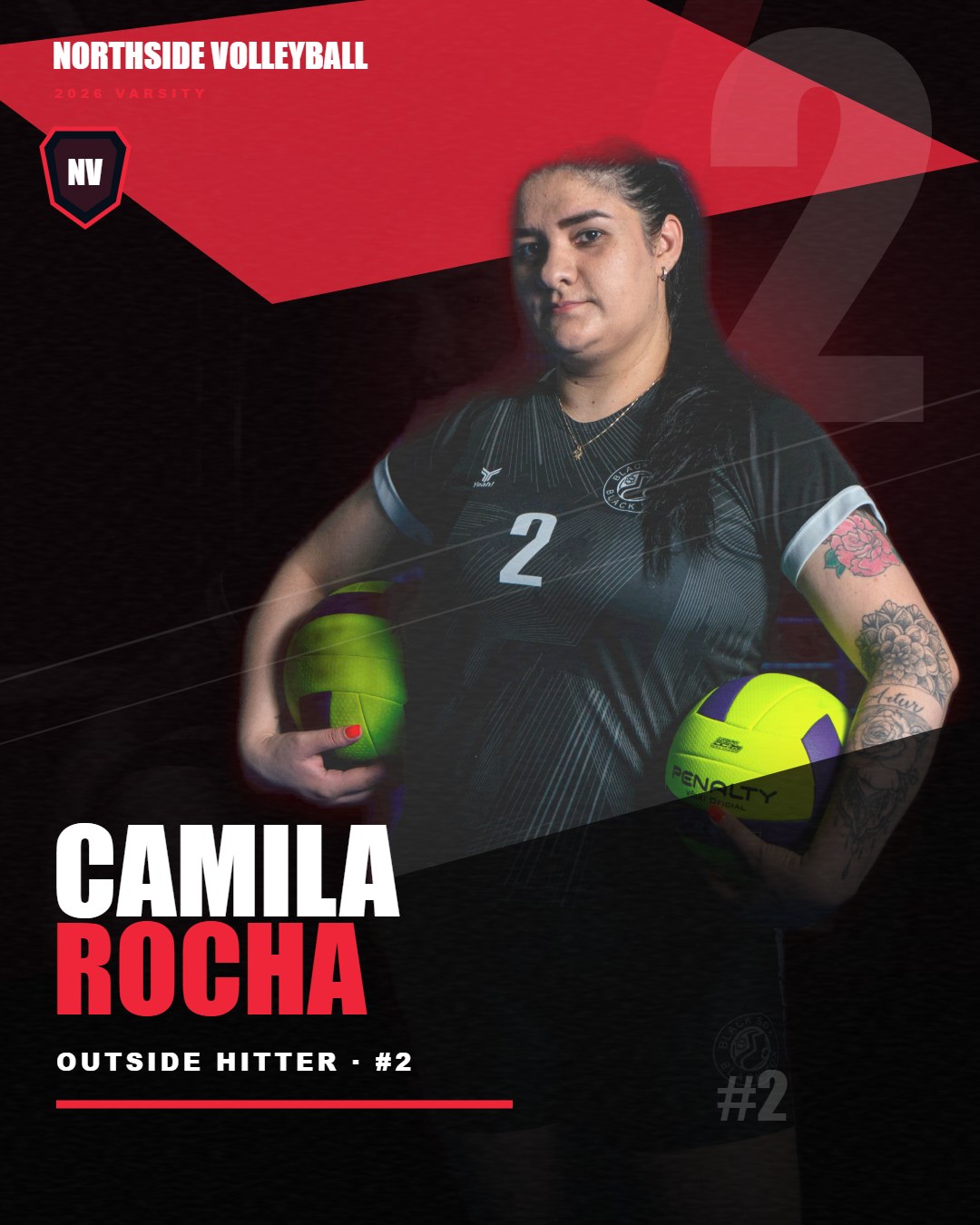 Actual render · Impact
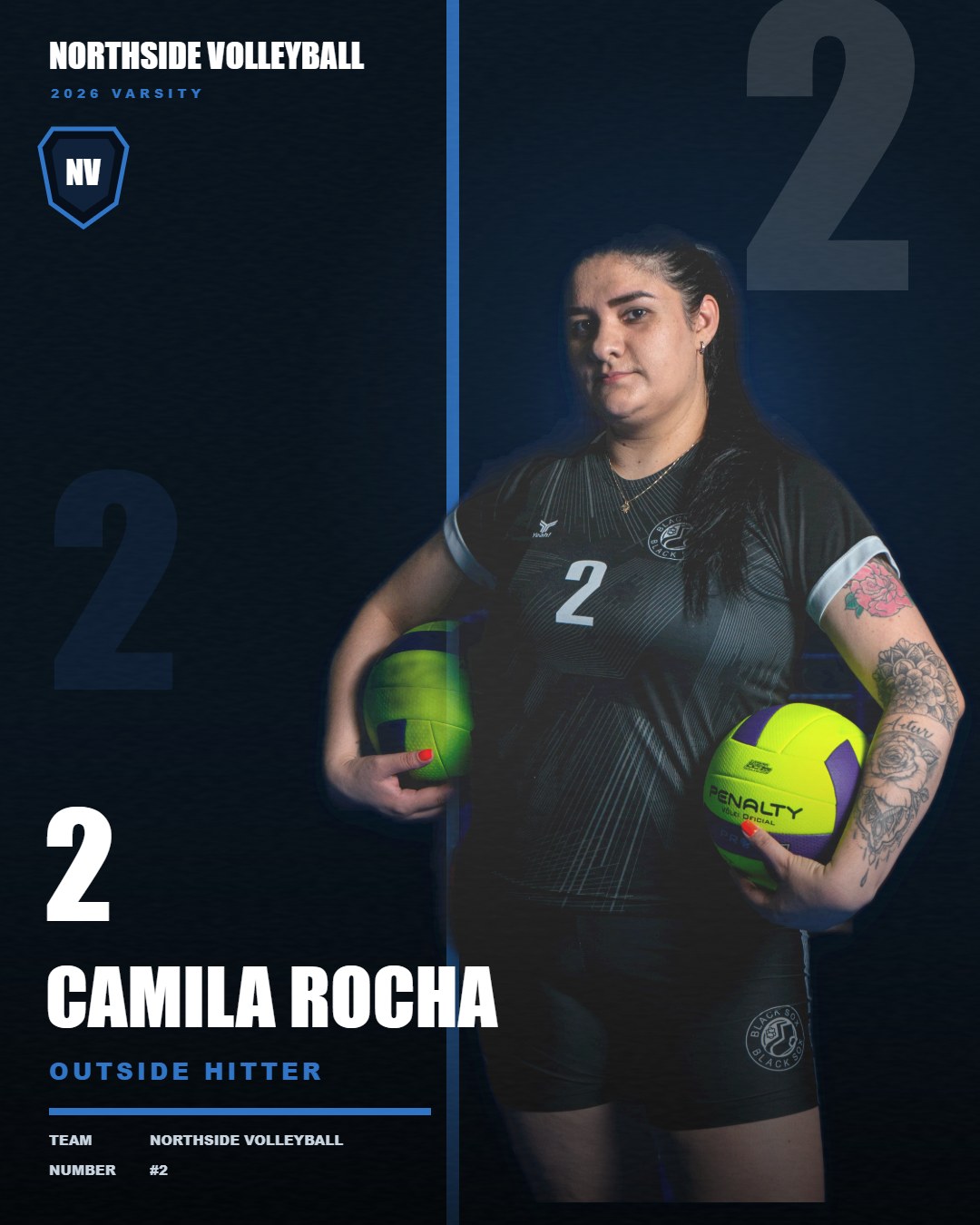 Actual render · Editorial
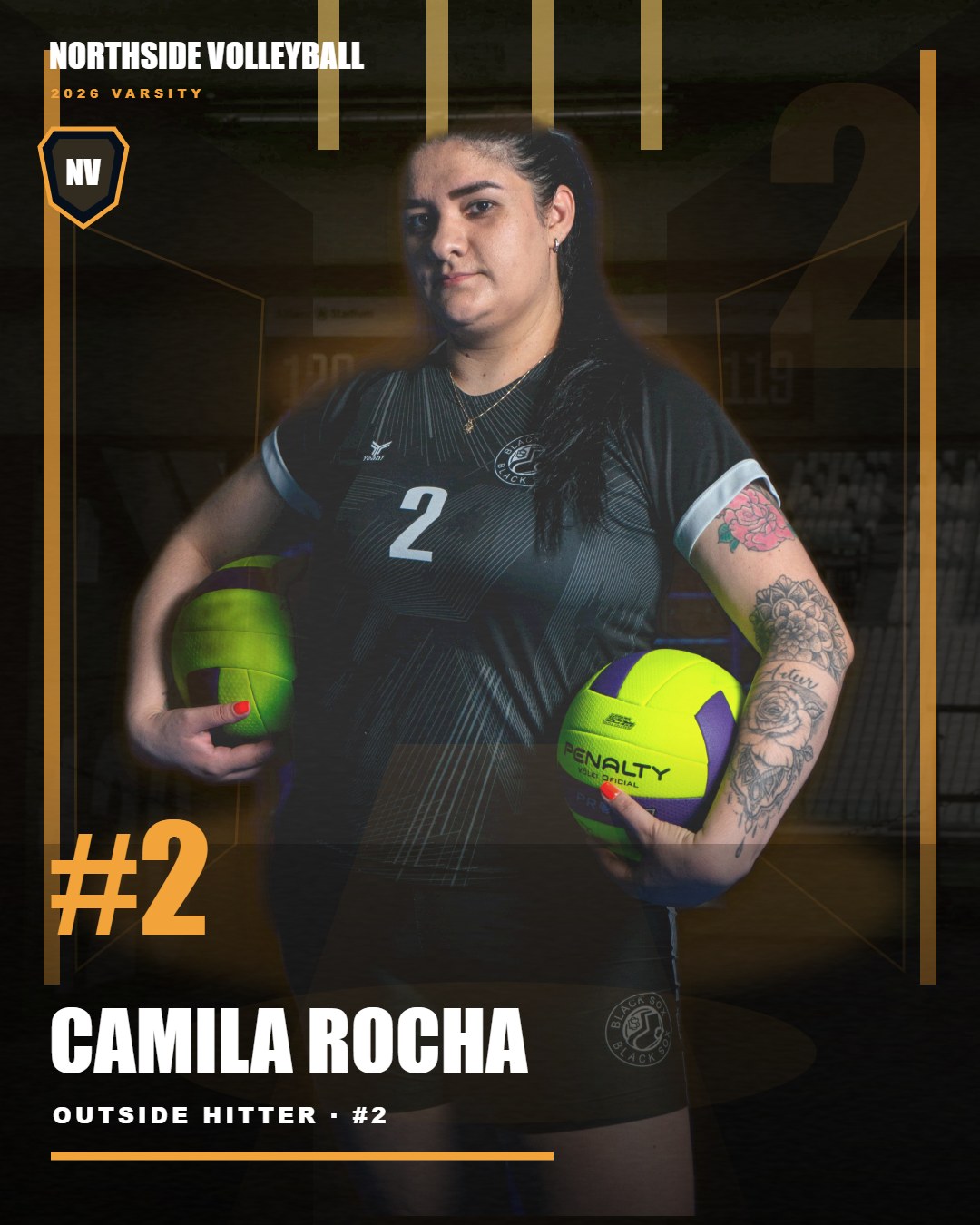 Actual render · Tunnel
Stop rebuilding the same job athlete by athlete.
PlayerBatch is built around the part of Media Day production that repeats across an entire roster.
One-by-one workflow
- Match each athlete to a portrait manually
- Repeat background cleanup for every file
- Re-enter names, numbers, and positions
- Export social and print versions separately
- Review every file instead of only exceptions
PlayerBatch workflow
- Import one roster CSV + one portrait folder
- Auto-match athletes and flag exceptions
- Run local automatic background removal
- Generate four built-in sports looks
- Export social + print graphics in one ZIP
Where PlayerBatch fits in your workflow.
PlayerBatch starts after you have selected the athlete portraits you want to use. It does not replace RAW culling, Lightroom-style photo correction, client galleries, ordering, or lab fulfillment. That focus is intentional: you pay $49 once for the roster-to-graphics production step instead of buying another full studio platform.
Keep using your existing tools for
- RAW ingest, culling and color correction
- Game-action photo delivery
- Client galleries, ordering and lab fulfillment
Use PlayerBatch for
- Roster-to-portrait matching
- Local background removal
- Personalized Media Day graphics at roster scale
- Social + print batch export
A production tool, not a template pack.
Designed for youth and school sports photographers who repeat the same personalization work across entire rosters.
Import CSV data and match portraits by filename or athlete name instead of rebuilding every player card manually.
Flag missing photos, duplicate names, long names and incomplete fields before export.
Generate 1080×1350 social and 2400×3000 print PNGs plus manifest and failure report.
What happens after purchase?
You get the current Windows release as a downloadable ZIP and can start locally without creating another cloud account.
Current release: Windows local workflow using Microsoft Edge. The distributed app is unsigned, so Windows or your organisation’s security policy may flag or block it; do not bypass workplace security controls. No paid API, Photoshop subscription, or recurring PlayerBatch subscription is required for the built-in workflow. Inspect real outputs and test the free 3-athlete evaluation before purchase.
Four built-in visual systems.
Team colors, player identity and sports atmosphere stay consistent while the visual treatment changes.
One clean workflow.
Media Day production guides.
Practical guides for photographers trying to reduce repetitive roster-scale production work.
From roster preparation to portrait matching, exception review, and social + print delivery.
Read workflow →What to automate across an entire team and what still deserves human review.
Read guide →What roster-scale production software should handle beyond a static template.
Read guide →How a roster-scale batch workflow reduces repetitive production across complete teams.
Read batch software guide →A practical roster-scale post-shoot workflow for youth and school sports photographers.
Read youth workflow →Automate roster matching, local cutouts, exception review, and social + print athlete graphics without replacing your whole studio stack.
Read graphics automation guide →Where roster-driven graphics production fits inside a high-volume Media Day workflow.
Read volume workflow guide →What belongs in a reliable batch pipeline and what should remain visible for human review.
Read batch processing guide →How to batch-produce roster-scale athlete graphics in a local Windows workflow without a Photoshop production loop.
Read no-Photoshop guide →Use one roster and portrait folder to create consistent athlete poster-style graphics across a complete team.
Read sports poster guide →Turn one Media Day shoot into reusable athlete graphics for game-day, spotlight, milestone, recruiting, and print use.
Read content library guide →Use one roster CSV and portrait folder as the source of truth for team-scale production.
Read guide →Check the workflow before you buy.
Inspect all four genuine current-engine renders in one place before buying.
Open free sample pack →Download the same 20-player sample roster structure used for product testing. Columns: name, number, position, class, photo.
Download sample roster CSV →What you get after purchase.
The current Windows release is delivered as a downloadable ZIP so you can start with the same local workflow used for the renders shown above.
The current Windows package with the roster-to-render workflow and four built-in sports visual systems.
Starter documentation plus the sample roster structure used to test the workflow before running a real team job.
Portrait matching, exception review, automatic local background removal, social + print PNG export, manifest, and failure reporting.
Before you buy.
Do I need Photoshop?
No. PlayerBatch Studio is designed as a local Windows production workflow, so the roster-to-render process does not depend on Photoshop.
Does it upload athlete portraits?
No. The built-in production workflow runs on your Windows PC, including automatic background removal. Athlete portraits are processed locally rather than uploaded to a PlayerBatch cloud service.
What files go in?
A roster CSV plus PNG or JPG athlete portraits. Clean, consistently framed portraits produce the strongest results.
What comes out?
1080×1350 social PNGs, 2400×3000 print PNGs, and batch delivery files including manifest and failure reporting.
Is there a subscription or paid API?
No recurring subscription or paid API is required for the current release. The product is sold as a one-time purchase.
Which operating system is supported?
The current release is for Windows and uses Microsoft Edge as part of the local workflow.
Local Windows workflow. Microsoft Edge required. PNG and JPG portrait inputs supported.
Don't want to install software? Order finished player PNGs.
For teams and photographers who need a set of finished player graphics rather than another Windows app, we offer a fixed-scope $99 / up to 20 athletes batch proposal using the existing PlayerBatch looks. One selected look, two PNG sizes per athlete, reviewed output and a ZIP. No custom PSD masters or original branded creative concepts.